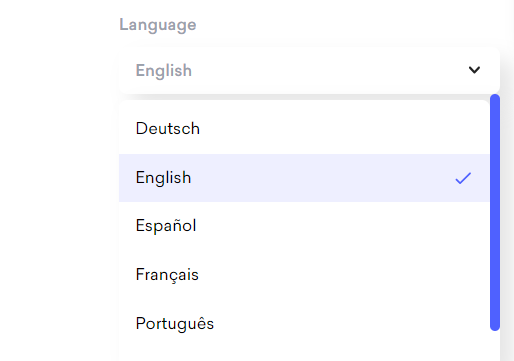
For multilingual users, Decktopus offers a seamless language selection feature, allowing users to effortlessly switch the app interface between English, German, Spanish, French, Portuguese, Turkish, and Arabic. With just a few clicks, users can set their preferred language for the entire software, ensuring ease of use and clarity for presenters from diverse linguistic backgrounds.

To change the interface language:
First, log in to your Decktopus account.
Then, click on your avatar to open the sidebar and navigate to the "Profile Settings" section.
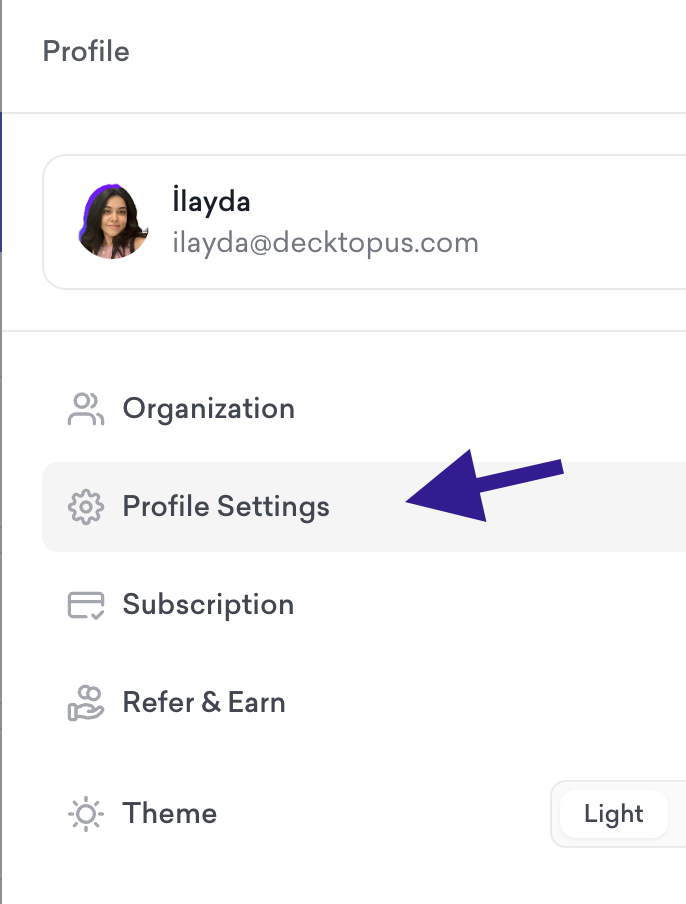
From Profile Settings, you can click on "Language" to change the language promptly!
That's all!
If you require any additional help, feel free to contact us at [email protected].
