
You can review all your previous payments and check your current subscription status at any time through the Stripe portal, directly from your Decktopus account.
How to Access Your Payment History
Click on your profile avatar to open the sidebar menu
Click Subscription
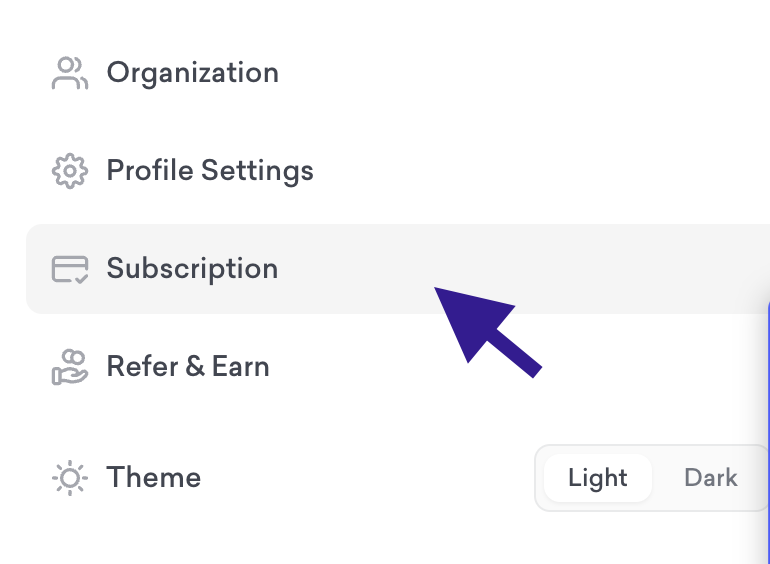
Then, go to Invoices under Subscription Settings to see all payment details.
Your full payment history and active subscription details will be displayed there
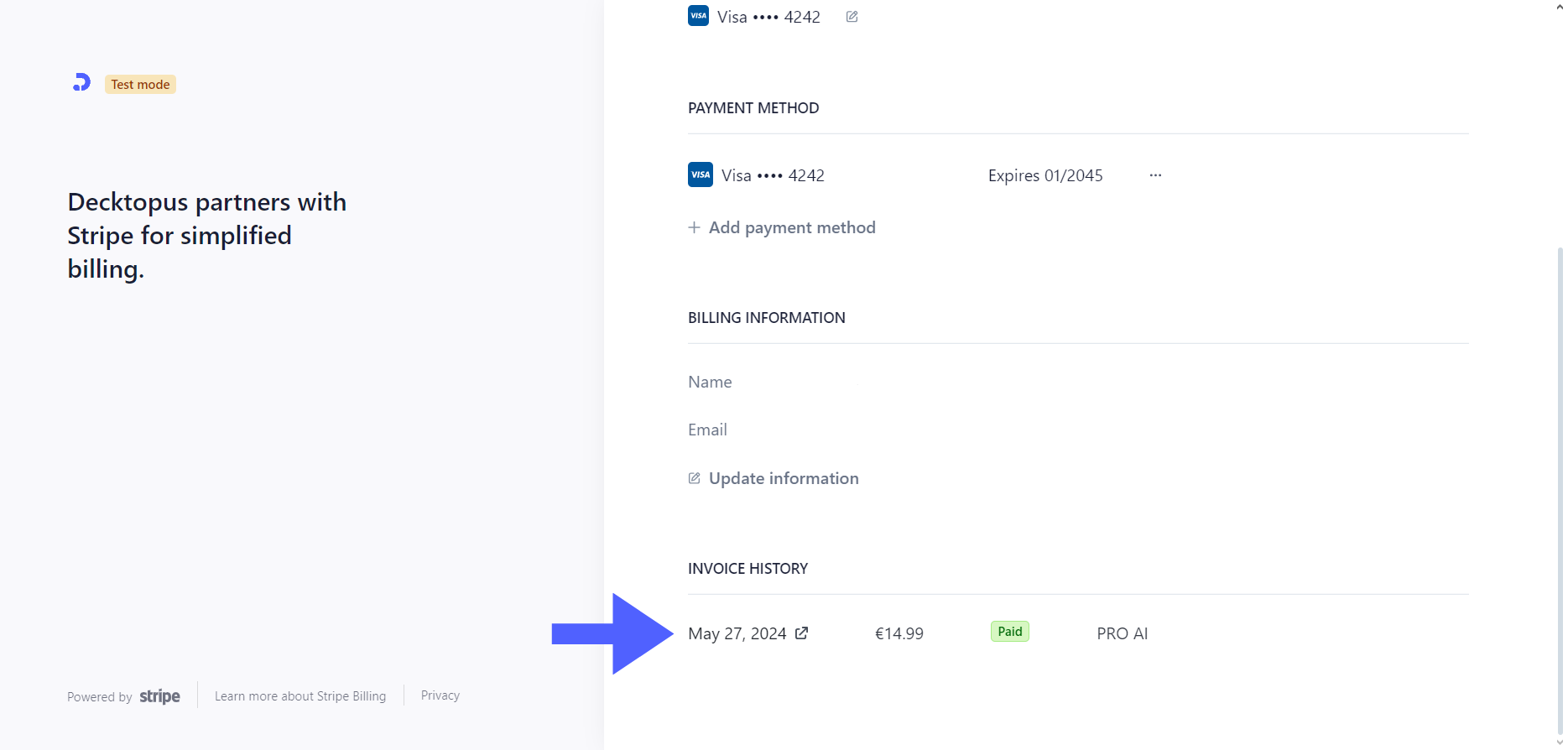
What You Can See in the Stripe Portal
All previous successful payments
Payment dates and amounts
Your current active plan
Subscription renewal date
For any questions, contact us at [email protected].