Preparing well for a presentation or important meeting takes more than reviewing your slides. Decktopus Loop is a built-in AI coaching experience that walks you through every stage of preparation: building context, designing your strategy, stress-testing your answers, and rehearsing your delivery. Each stage is handled by a dedicated AI agent.
Loop builds persistent memory across sessions — when you return for a new session, your previous context is pre-populated so you can confirm or update it instead of starting from scratch. Every session gets smarter over time.
How to Access Loop
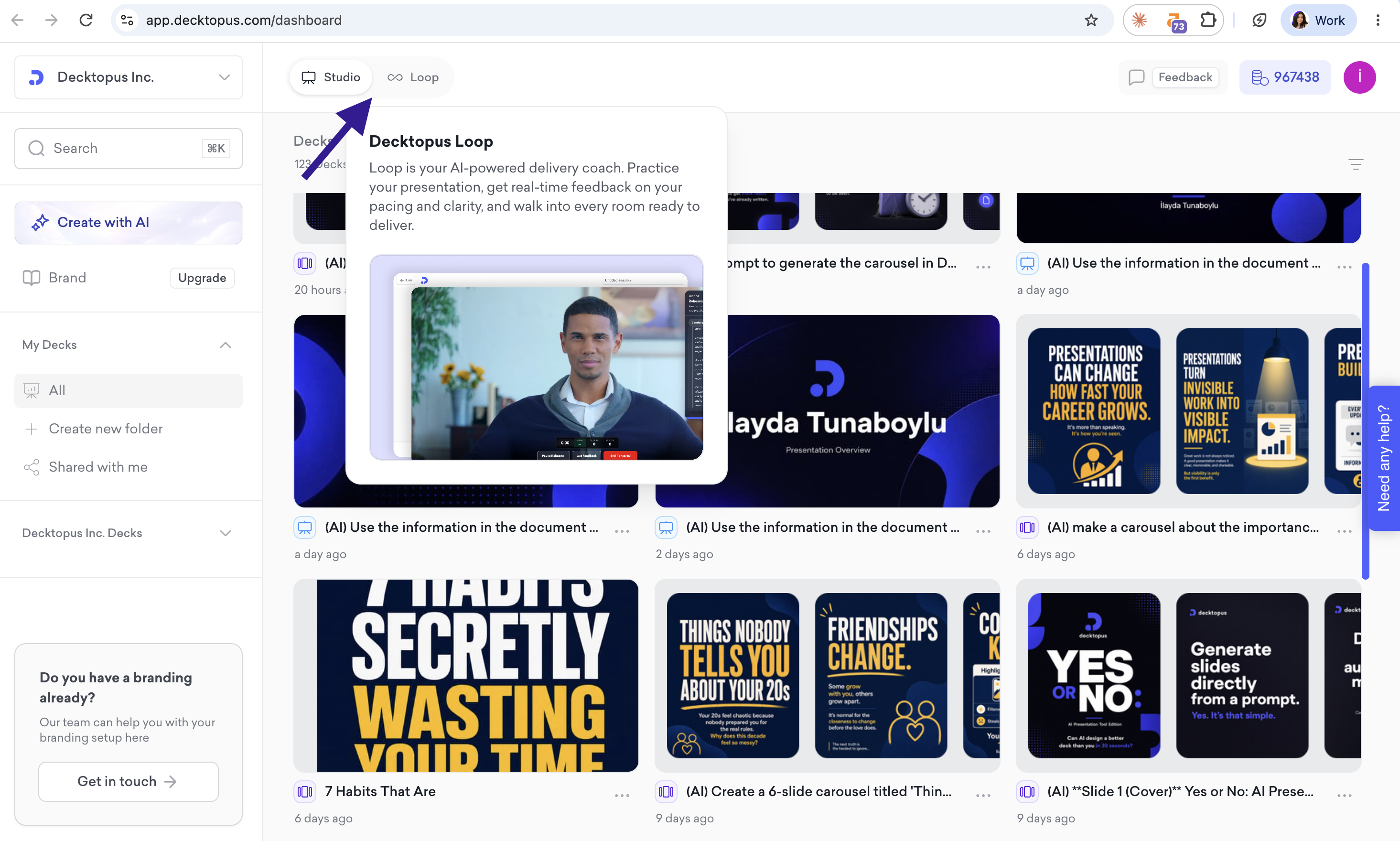
From your dashboard, click Loop at the top of the screen next to Studio
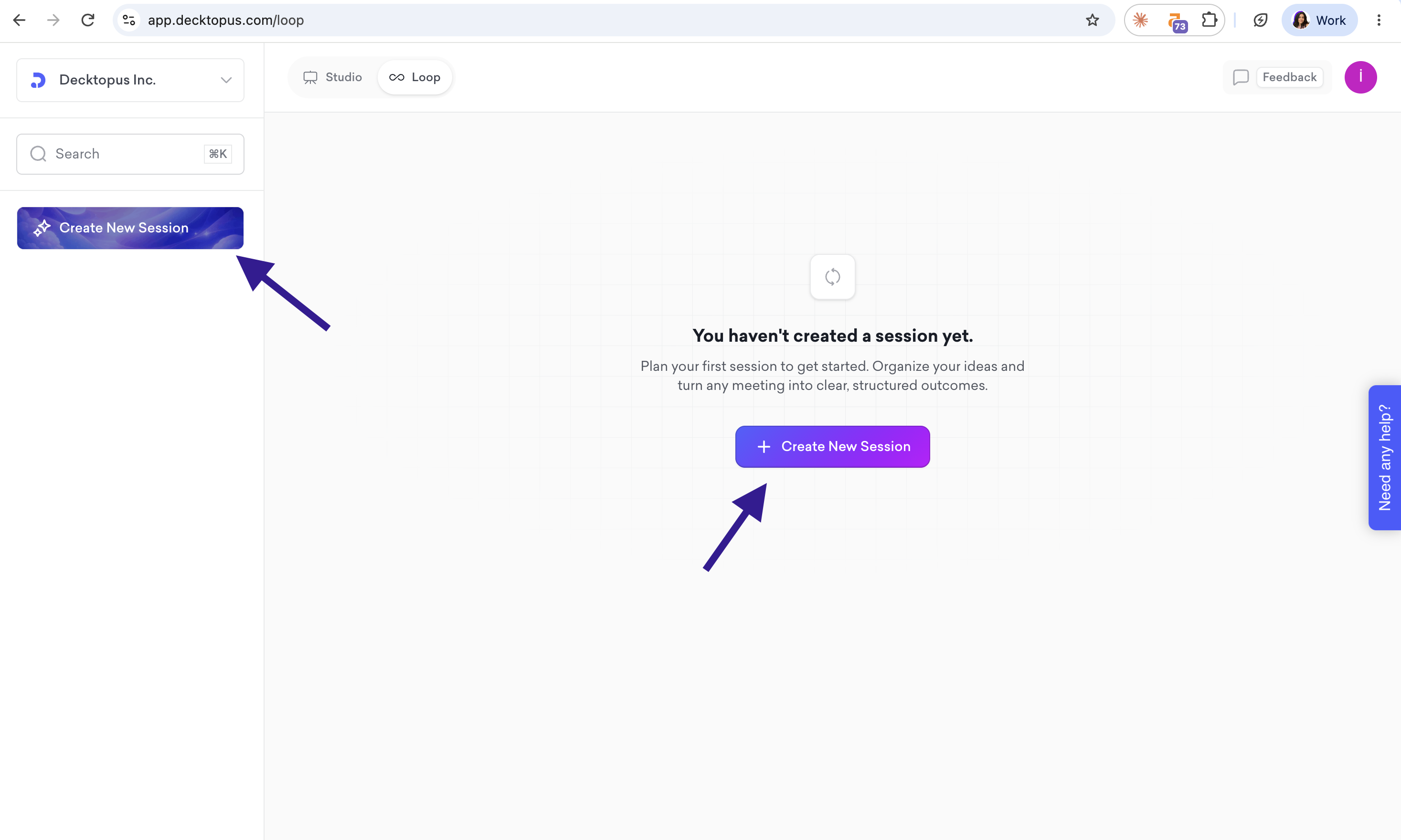
Click Create New Session
The Four Agents
Emily, The Profiler
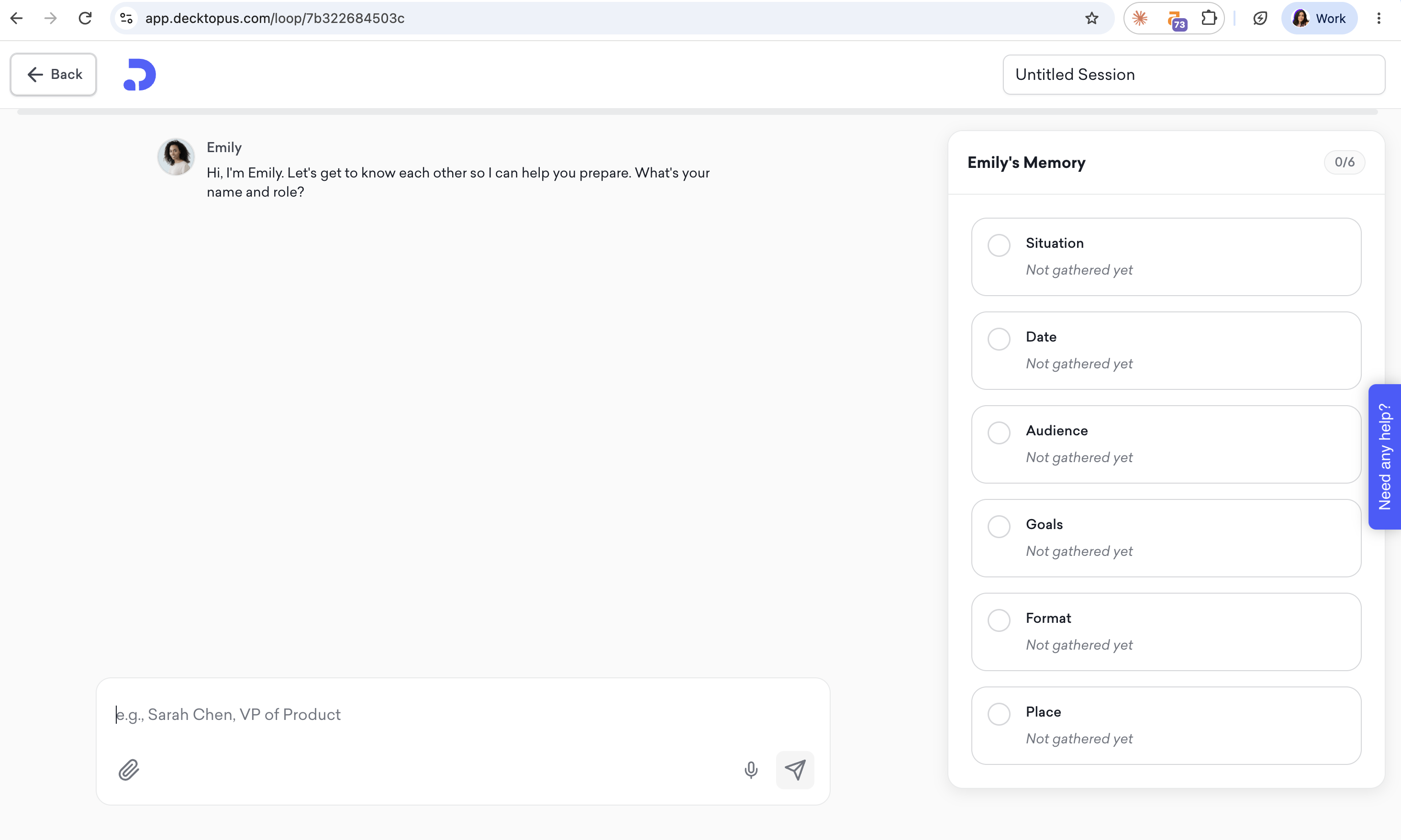
Emily is your starting point. She gathers context about your upcoming moment through a conversation, collecting details across five areas: Situation, Audience, Goals, Format, and Place. As she works through the questions, your answers are saved in the Emily's Memory panel on the right. You can edit any detail at any time using the pencil icon in that panel.
If you have a pitch deck, proposal, or any relevant file, you can attach it using the paperclip icon and Emily will use it to enrich your context. Emily can also run web research on your stakeholders to gather additional background.
Returning users see pre-populated context from past sessions — just confirm or update what's changed. Once your brief is complete, Emily hands you off to Marcus.
Marcus, The Architect
Marcus takes your context and designs a delivery strategy around it. He produces:
A recommended storytelling framework for your moment
A full narrative arc with timing and key messages
Speaking notes for each section of your presentation
Slide briefs with content direction and speaker notes (only if you have a presentation attached)
Each deliverable unlocks the next. You can accept Marcus's recommendations, explore alternatives, or propose your own approach.
Once speaking notes are complete, you can download the full script as .md or .txt.
Red Team
Red Team stress-tests your preparation by simulating your actual audience. Different avatars representing your real stakeholders ask you challenging, context-specific questions — the kind you are likely to face in the room. Questions are tracked as "Question X of Y" and difficulty adapts to the stakes of the moment.
You can answer by typing or using voice input. After each answer, a coach avatar gives feedback with hints and a suggested phrasing. You can Try Again, move to the Next Question, or specify another response.
Stage
Stage enables rehearsal with performance analysis. Your speaking notes or slides stay visible as reference while you practice.
Live metrics are tracked during rehearsal: time elapsed, words per minute, filler word count, and word count.
After finishing, you receive a Readiness Score (0–100) with a breakdown across: Energy, Pacing, Pauses, Closing, Opening, Filler Words, Time Adherence, and Content Coverage. The report includes a "What Worked" / "Areas to Practice" summary and a timestamped timeline of specific moments. You can rehearse multiple times — each attempt is tracked (Rehearsal #1, #2...).
Integration with Decktopus Slides
Users can attach existing presentations during the Profiler stage. Marcus can generate slide briefs that link to Decktopus Slides for generation. Loop shares authentication and database with Decktopus Slides.
That's all!
For any questions, contact us at [email protected].
That's all!
For any questions, contact us at [email protected].
