
Here's how to get started:
Step 1: Create your presentation
Open Decktopus on your mobile browser and sign in.
Type your topic in the prompt box and hit send. Be as detailed as you like.
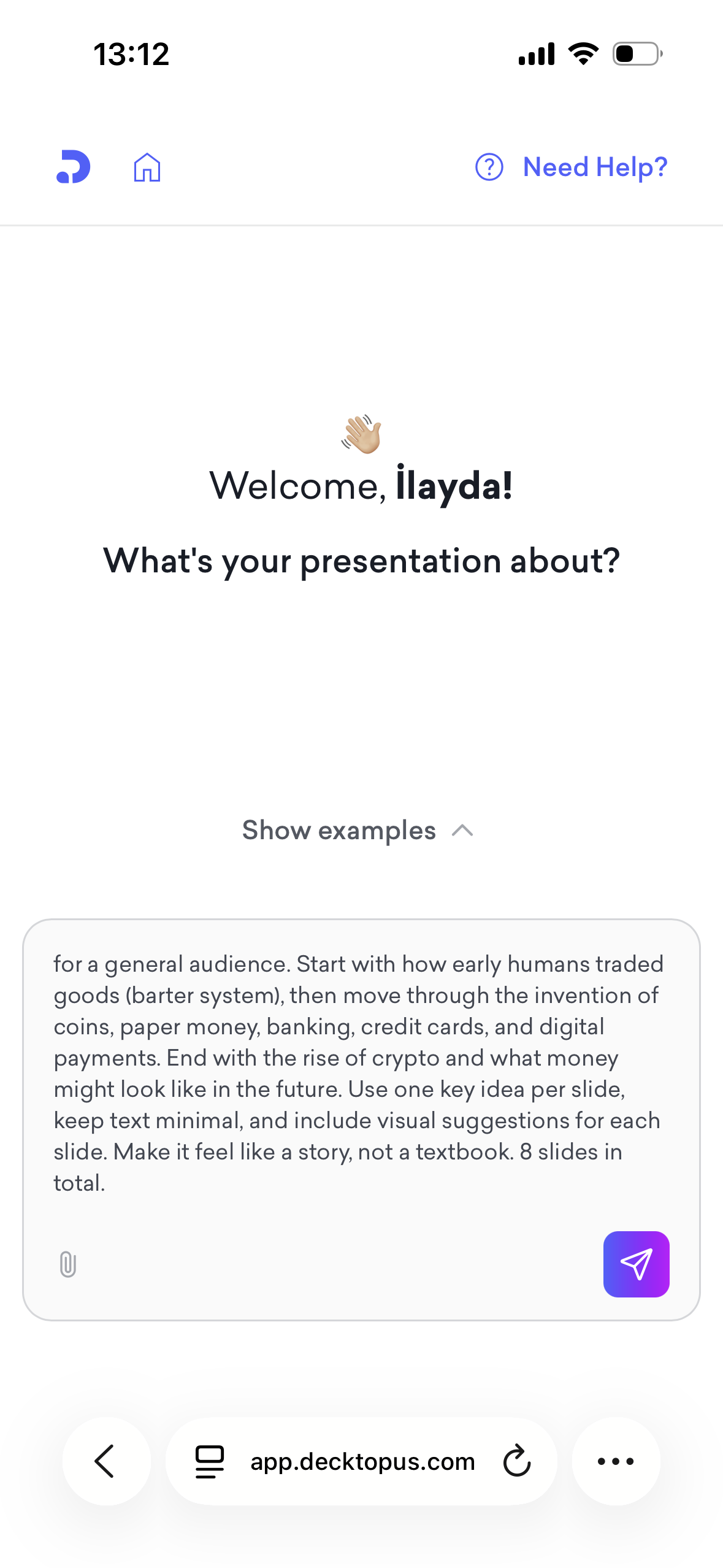
Choose how you want your presentation to look. You can select a saved brand kit, import your brand from your website, or let AI generate a style from scratch.
Decktopus will analyze your prompt and build your deck automatically.
Step 2: Review your deck
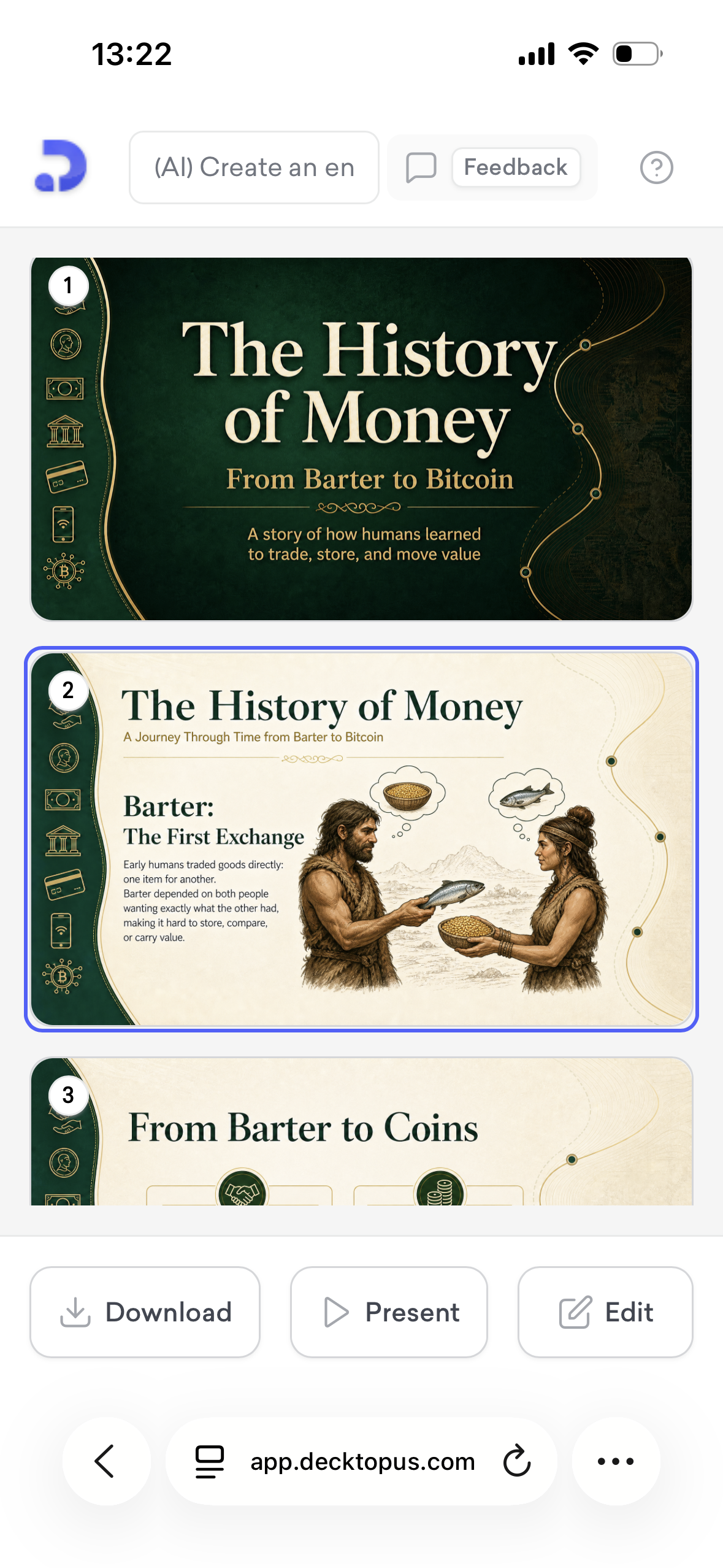
Once your deck is ready, you'll see all your slides listed on screen.
Scroll through to review the content and layout.
Step 3: Edit your slides
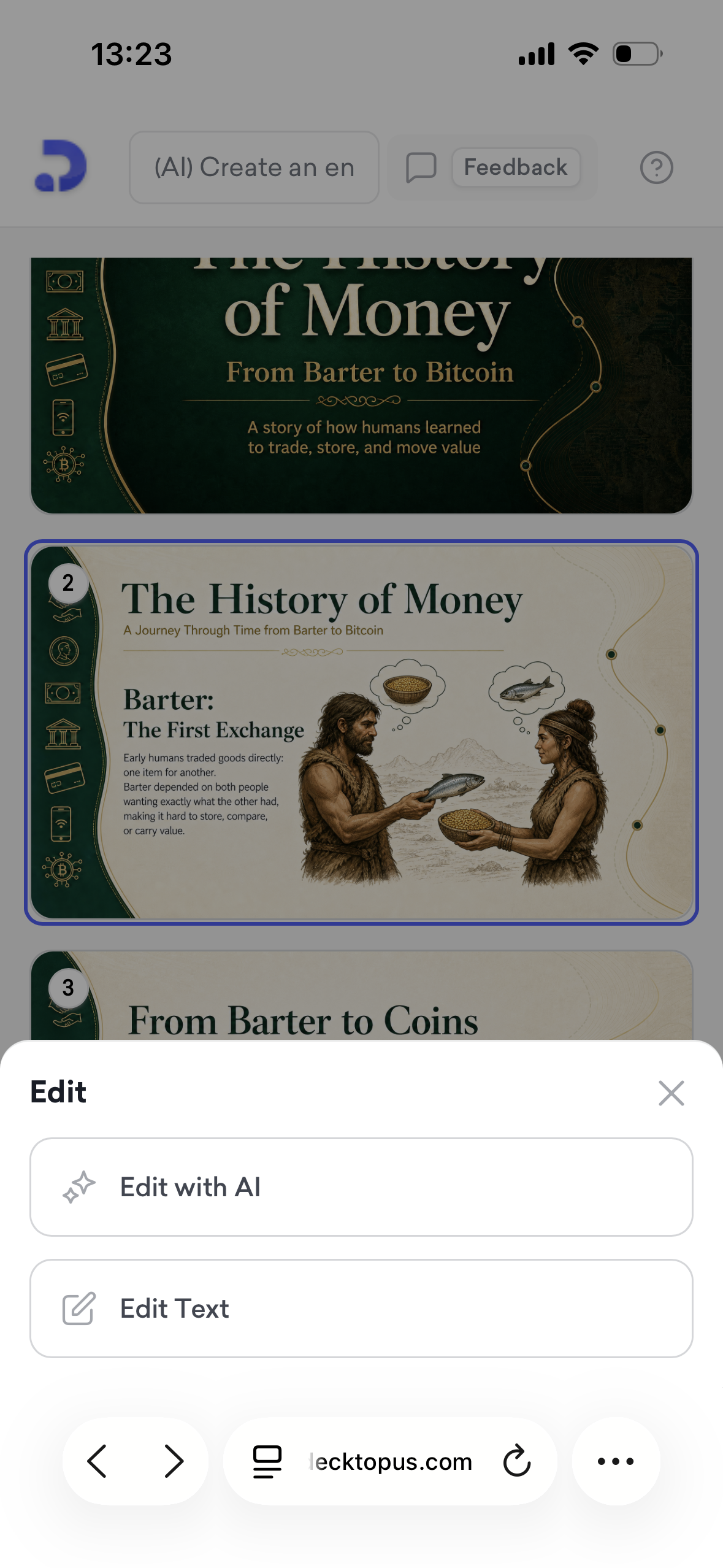
Tap on any slide and hit Edit.
Choose Edit with AI to describe the change you want, or Edit Text to update the content manually.
Step 4: Present from your phone
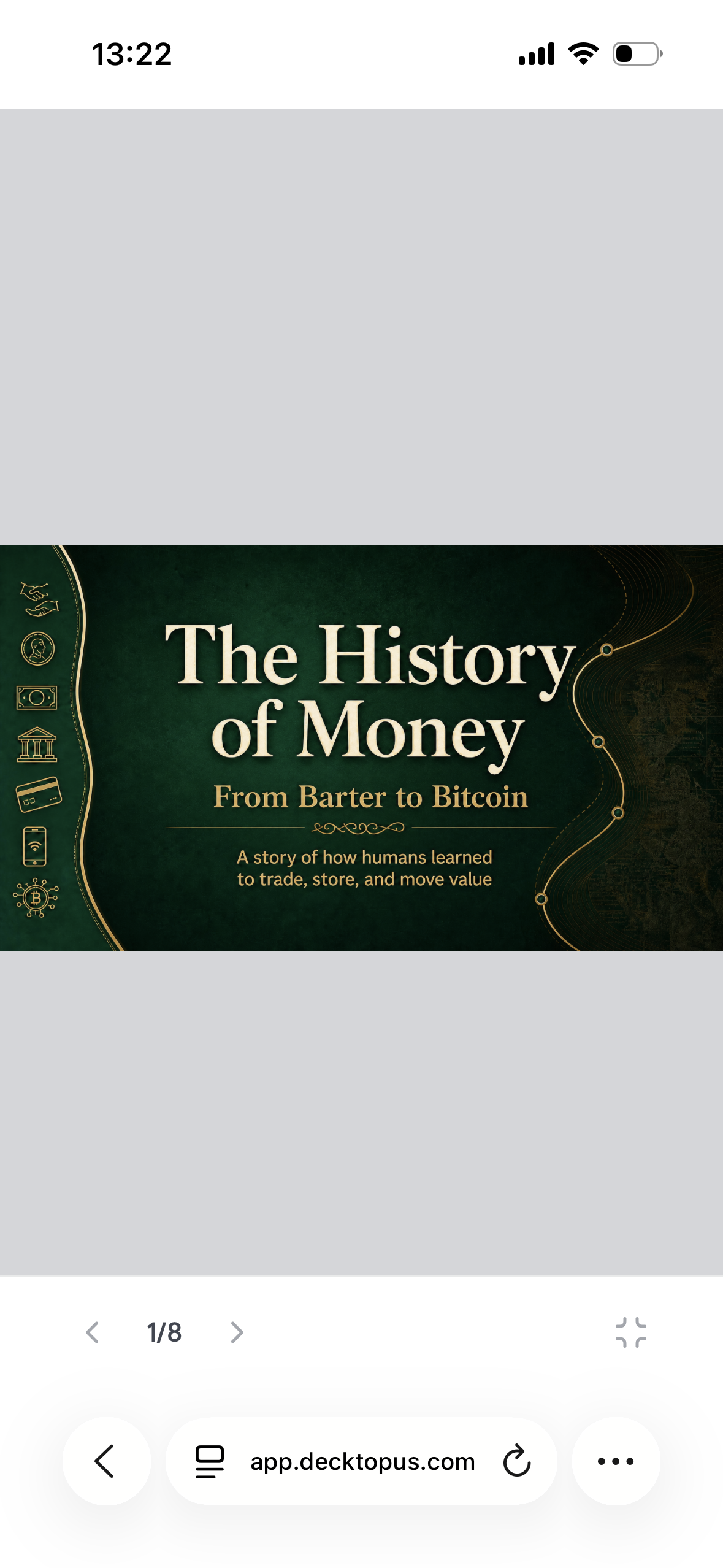
Tap Present to go fullscreen.
Use the arrows to navigate between slides.
Step 5: Download your deck
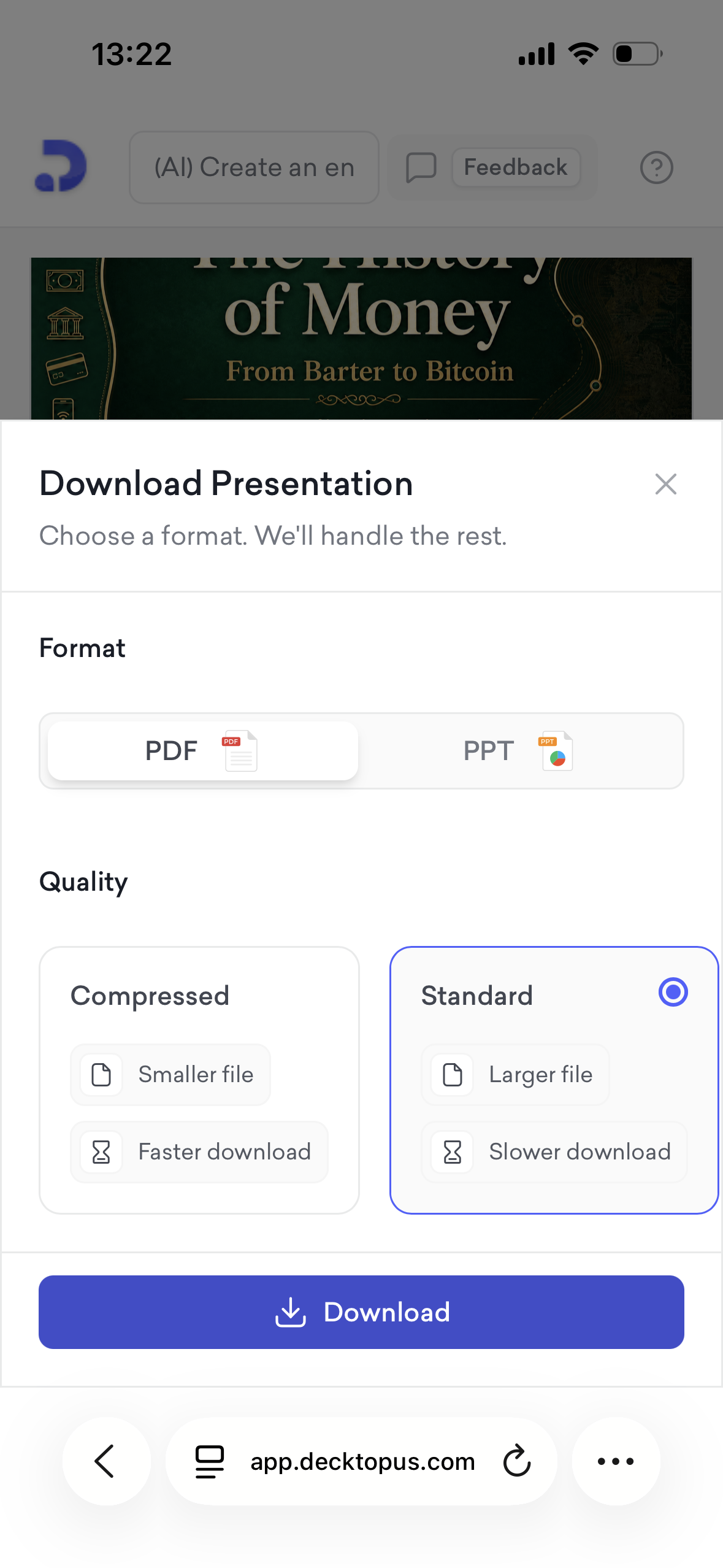
Tap Download and choose your format: PDF or PPT.
Select your quality: Compressed for a smaller file, or Standard for higher resolution.
Tap Download to save it to your device.
That's all!
If you require any additional help, feel free to contact us at [email protected].