
Archiving a slide removes it from your presentation without permanently deleting it. You can restore it any time or delete it permanently from the archive.
To archive a slide:
Open your presentation in the editor and select the slide you want to remove.
Click the Archive slide button at the bottom right of the editor (the red inbox icon).

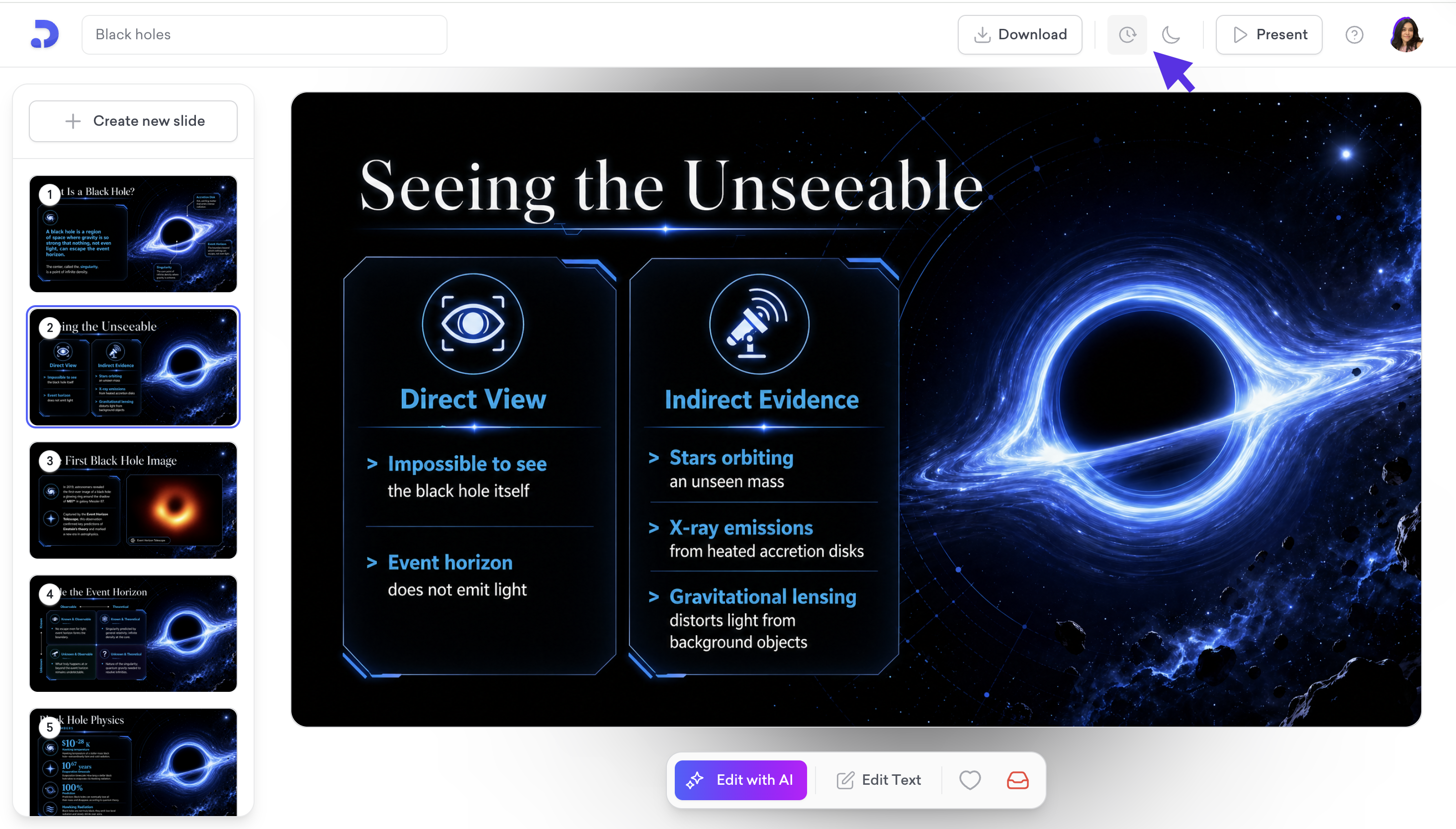
Click the clock icon in the toolbar, then select Archived Slides from the dropdown. The same dropdown also contains Version History.
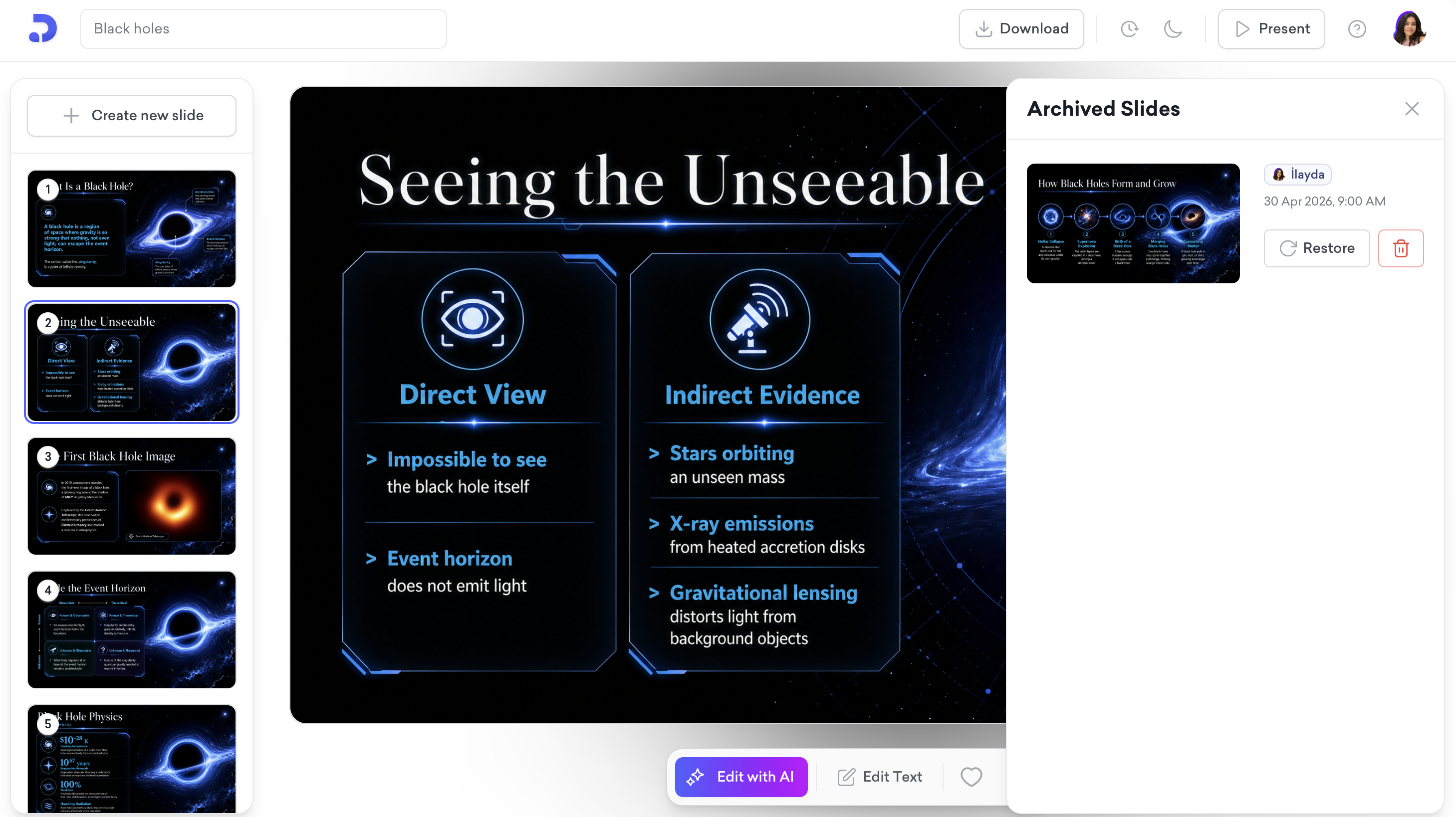
The panel shows archived slides from the current presentation as well as from other presentations. Each entry shows the archiver's name, date, and time.
To restore or delete an archived slide:
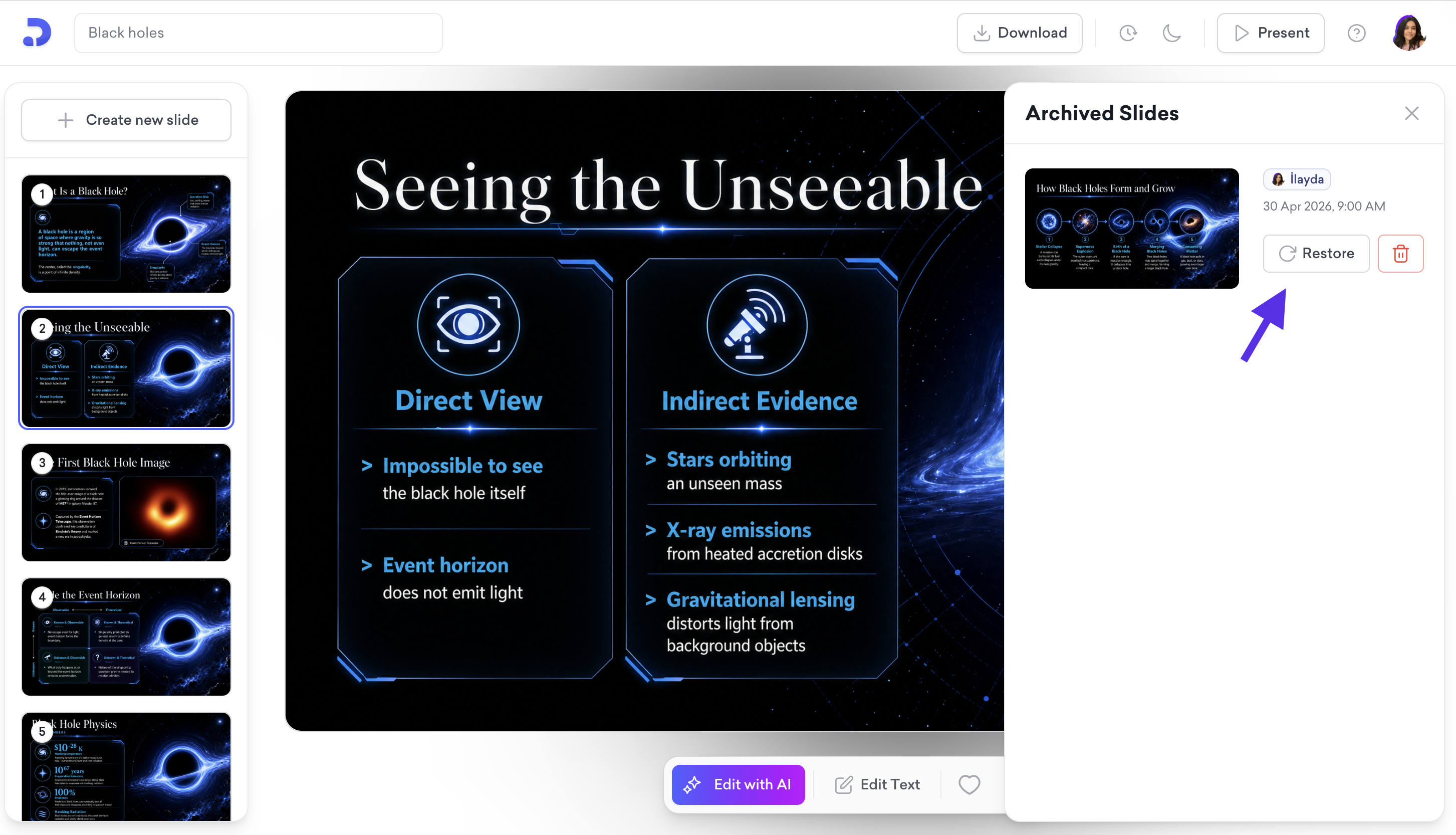
Find the slide you want to recover and click Restore to put it back in your presentation.
To permanently delete it, click the delete icon next to the slide.

That's all!
For any questions, contact us at [email protected].